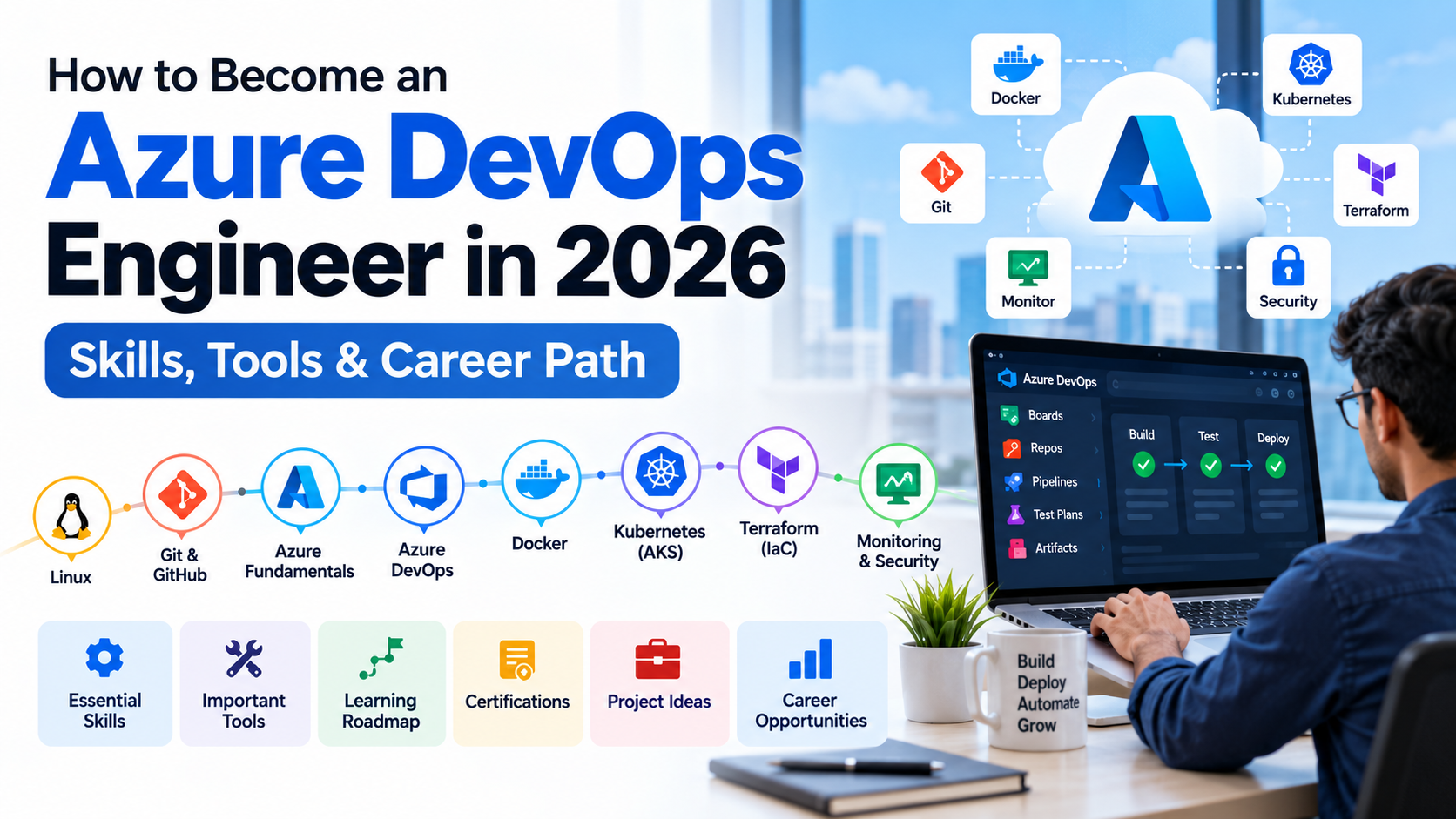
How to Become an Azure DevOps Engineer in 2026: Skills, Tools & Career Path
Software development has changed significantly over the last few years. Organizations are no longer looking only for developers who can write code. They also need professionals who can automate builds, manage cloud infrastructure, create deployment pipelines, improve application reliability and integrate security into the development process.
This is where DevOps Engineers play an important role.
If you're interested in cloud computing, automation and software deployment, becoming an Azure DevOps Engineer can be a strong career path in 2026.
But what exactly does an Azure DevOps Engineer do? What skills should you learn? Which tools are important? Do you need programming experience? And how can you become job-ready?
This guide explains the complete Azure DevOps career path for 2026.
What Does an Azure DevOps Engineer Do?
An Azure DevOps Engineer helps development and operations teams work together to deliver software faster, more reliably and securely.
The role typically involves:
- Source code management
- CI/CD automation
- Cloud infrastructure
- Build and release pipelines
- Infrastructure as Code
- Containerization
- Kubernetes
- Monitoring
- Security
- Automation
- Deployment
- Troubleshooting
Microsoft describes the DevOps Engineer role around continuous integration, testing, delivery, deployment, monitoring, security and feedback. The role also involves working with developers, SREs, Azure administrators and security engineers. Microsoft Learn
A typical workflow might look like:
Developer → Git → CI Pipeline → Testing → Docker → Container Registry → Deployment → Monitoring
The DevOps Engineer helps automate and maintain this entire process.
Why Learn Azure DevOps in 2026?
Azure DevOps provides an integrated set of tools for planning work, managing source code, building applications, testing and deploying software. Its core services include Azure Boards, Azure Repos, Azure Pipelines, Azure Test Plans and Azure Artifacts. Microsoft Learn
Azure DevOps can also work with technologies outside the Microsoft ecosystem, including Docker, Kubernetes, GitHub and multiple cloud platforms.
The platform is also evolving toward AI-assisted development and DevOps. Microsoft's current roadmap includes features such as Copilot Code Reviews for Azure Repos, AI-assisted security capabilities and Azure DevOps MCP Server capabilities. Microsoft Learn
That means modern Azure DevOps learning should go beyond traditional CI/CD and include security, automation and AI-assisted workflows.
Skills You Need to Become an Azure DevOps Engineer
You don't need to learn everything simultaneously.
A good learning path is:
Linux → Networking → Git → Azure → Azure DevOps → CI/CD → Docker → Kubernetes → Terraform → Monitoring → Security → Real-world Projects
Let's look at each skill.
1. Learn Linux
Linux is one of the most important foundations for DevOps.
You should be comfortable working with the command line and managing basic server operations.
Learn:
- Linux file system
- Users and groups
- File permissions
- Processes
- Services
- SSH
- Environment variables
- Package management
- Logs
- Networking commands
- Shell scripting
- Cron jobs
Important commands include:
ls
cd
pwd
cp
mv
rm
mkdir
cat
grep
find
chmod
chown
ps
top
df
du
systemctl
curl
ssh
You don't need to become a Linux administrator, but you should be able to troubleshoot a Linux server confidently.
2. Understand Networking Fundamentals
DevOps engineers regularly work with servers, APIs, containers, load balancers and cloud infrastructure.
Therefore, basic networking knowledge is essential.
Learn:
- IP addresses
- DNS
- HTTP and HTTPS
- TCP/IP
- Ports
- Firewalls
- Proxies
- Load balancers
- Subnets
- Routing
- Public and private networks
For example, you should understand a flow such as:
User → DNS → Load Balancer → Web Server → Application → Database
This knowledge becomes extremely useful when troubleshooting production applications.
3. Learn Git
Git is an essential skill for modern DevOps engineers.
You should understand:
- Repositories
- Commits
- Branches
- Merging
- Pull requests
- Rebasing
- Tags
- Branch protection
- Merge conflicts
- Code reviews
Important commands include:
git clone
git add
git commit
git push
git pull
git branch
git switch
git merge
git rebase
git log
git stash
You should also understand how Git fits into a team's development workflow.
Feature Branch → Pull Request → Code Review → Merge → CI Pipeline
4. Learn Azure Fundamentals
Before specializing in Azure DevOps, learn the basics of Microsoft Azure.
You don't need to master every Azure service.
Focus on the services most relevant to application deployment and DevOps.
Compute
- Azure Virtual Machines
- Azure App Service
- Azure Functions
- Virtual Machine Scale Sets
Storage
- Azure Storage
- Blob Storage
- File Storage
Networking
- Virtual Network
- Subnets
- Network Security Groups
- Load Balancer
- Application Gateway
- Azure DNS
Containers
- Azure Container Registry
- Azure Kubernetes Service
Monitoring
- Azure Monitor
- Application Insights
- Log Analytics
Understanding these services will make Azure DevOps concepts much easier.
5. Master Azure DevOps
Now move into the Azure DevOps platform itself.
Microsoft's Azure DevOps platform provides five major services:
Azure Boards
Used to plan and track development work.
Learn:
- Work items
- User stories
- Tasks
- Bugs
- Backlogs
- Sprints
- Kanban boards
- Queries
- Dashboards
Azure Repos
Used for source code management.
Learn:
- Git repositories
- Branches
- Pull requests
- Branch policies
- Code reviews
- Repository permissions
Azure Pipelines
Used to automate building, testing and deploying applications.
This is one of the most important areas for an Azure DevOps Engineer.
Azure Test Plans
Used to manage testing and test results.
Azure Artifacts
Used to create, host and share packages such as npm, Maven, NuGet and Python packages. Microsoft Learn
6. Learn CI/CD
CI/CD is at the heart of DevOps.
Continuous Integration
Developers regularly merge code into a shared repository.
Automation then:
Builds → Tests → Validates
Continuous Delivery/Deployment
Once the code passes validation, it can be delivered or deployed to different environments.
For example:
Development → Testing → Staging → Production
A typical Azure DevOps workflow could be:
Developer
↓
Git Repository
↓
Pull Request
↓
Build
↓
Unit Tests
↓
Security Checks
↓
Docker Build
↓
Container Registry
↓
Deployment
↓
Azure
↓
Monitoring
Understanding this workflow is more important than simply memorizing Azure DevOps features.
7. Learn YAML Pipelines
YAML is an important skill for modern Azure DevOps engineers.
Microsoft's Azure DevOps roadmap states that recent pipeline investments have focused on YAML pipelines, including security improvements. Microsoft Learn
You should learn:
- Stages
- Jobs
- Steps
- Variables
- Conditions
- Templates
- Environments
- Approvals
- Service connections
- Pipeline secrets
- Deployment strategies
For example:
trigger:
- main
pool:
vmImage: ubuntu-latest
steps:
- script: npm install
displayName: Install dependencies
- script: npm test
displayName: Run tests
- script: npm run build
displayName: Build application
Start with simple pipelines and gradually move toward multi-stage production pipelines.
8. Learn Docker
Docker is an important part of modern application deployment.
Learn:
- Images
- Containers
- Dockerfiles
- Volumes
- Networks
- Docker Compose
- Registries
- Image tagging
- Container security
Understand this workflow:
Application → Dockerfile → Docker Image → Container Registry → Deployment
For Azure, you should also learn Azure Container Registry (ACR).
9. Learn Kubernetes and AKS
Once you're comfortable with Docker, move to Kubernetes.
For Azure environments, learn Azure Kubernetes Service (AKS).
Start with:
- Pods
- Deployments
- Services
- Namespaces
- ConfigMaps
- Secrets
- Ingress
- Persistent volumes
- Health checks
- Scaling
- Rolling deployments
Then learn how Azure DevOps pipelines can automatically deploy containerized applications to AKS.
A typical architecture looks like:
Git
↓
Azure Pipeline
↓
Docker Build
↓
Azure Container Registry
↓
AKS
↓
Application
10. Learn Terraform and Infrastructure as Code
Infrastructure as Code, or IaC, allows infrastructure to be defined and managed through code.
Terraform is one of the important tools to learn.
Learn:
- Providers
- Resources
- Variables
- Outputs
- Modules
- State
- Remote state
- Plan
- Apply
- Destroy
For example, instead of manually creating:
- Virtual Network
- Subnets
- Virtual Machines
- Storage
- Container Registry
you can define the infrastructure as code and automate its provisioning.
Microsoft's DevOps Engineer certification objectives also include infrastructure as code. Microsoft Learn
11. Learn Monitoring and Observability
Deploying an application isn't the end of the DevOps lifecycle.
You also need to know whether the application is healthy after deployment.
Learn:
- Azure Monitor
- Application Insights
- Log Analytics
- Metrics
- Logs
- Alerts
- Dashboards
- Application performance monitoring
- Availability monitoring
A DevOps Engineer should be able to investigate questions such as:
Why did the deployment succeed but the application become unavailable?
or:
Why has application response time increased after the latest release?
Monitoring skills are therefore just as important as deployment skills.
12. Learn DevSecOps
Security should not be added only after an application reaches production.
Modern DevOps workflows integrate security throughout the development lifecycle.
Learn:
- Secret management
- Identity and access management
- Azure Key Vault
- Secure pipelines
- Dependency scanning
- Code scanning
- Secret scanning
- Container security
- Least-privilege access
Microsoft's current Azure DevOps roadmap includes GitHub Advanced Security capabilities such as secret scanning, code scanning and dependency scanning. Microsoft Learn
13. Learn AI-Assisted DevOps
AI is becoming another useful skill for DevOps engineers.
Microsoft's current Azure DevOps roadmap includes Copilot Code Reviews for Azure Repos and other AI-assisted security capabilities. Azure DevOps documentation also includes Azure DevOps MCP Server resources. Microsoft Learn
You can learn how AI can assist with:
- Code reviews
- Pipeline troubleshooting
- Log analysis
- Documentation
- Infrastructure automation
- Security analysis
- Incident investigation
However, AI should complement your DevOps knowledge rather than replace it.
You should first understand the infrastructure and automation you're asking AI to manage.
Azure DevOps Tools You Should Learn in 2026
A job-ready Azure DevOps Engineer should have practical experience with a combination of tools.
CategoryTools
Operating System
Linux
Version Control
Git, GitHub, Azure Repos
Cloud
Microsoft Azure
CI/CD
Azure Pipelines
Containers
Docker
Container Registry
Azure Container Registry
Orchestration
Kubernetes, AKS
IaC
Terraform
Monitoring
Azure Monitor, Application Insights
Security
Key Vault, security scanning
Automation
Bash, PowerShell
AI
Copilot, Azure DevOps MCP concepts
You don't need expert-level knowledge of every tool on day one.
Focus on understanding how these tools work together.
Do You Need Programming Skills to Become an Azure DevOps Engineer?
You don't necessarily need to be a full-time software developer.
However, basic programming and scripting skills are extremely useful.
You should understand at least one scripting language such as:
- Bash
- PowerShell
- Python
You should also understand basic programming concepts such as:
- Variables
- Conditions
- Loops
- Functions
- APIs
- JSON
- YAML
For example, scripting can help you automate deployment tasks instead of performing them manually.
Do You Need Azure Certification?
Certification is not mandatory to become a DevOps Engineer, but it can validate your knowledge and help structure your learning.
Microsoft currently offers the Microsoft Certified: DevOps Engineer Expert certification.
The associated AZ-400: Designing and Implementing Microsoft DevOps Solutions exam covers areas including source control, build and release pipelines, security and compliance, and instrumentation. Microsoft Learn
Microsoft currently lists either Azure Administrator Associate or Azure Developer Associate as the prerequisite certification for the DevOps Engineer Expert credential. Microsoft Learn
The important point is that certification should complement hands-on experience.
A certificate without practical project experience is much less valuable than being able to explain and demonstrate a complete DevOps workflow.
Real-World Projects to Build
If you're learning Azure DevOps, don't stop at tutorials.
Build projects.
Project 1: CI/CD Web Application
Build a pipeline for a web application:
Git
↓
Azure Repos
↓
Azure Pipelines
↓
Build
↓
Unit Tests
↓
Deploy
↓
Azure App Service
Project 2: Docker Deployment
Build:
Git
↓
Azure Pipeline
↓
Docker Image
↓
Azure Container Registry
↓
Azure App Service
Project 3: Kubernetes Deployment
Build:
Git
↓
Azure Pipeline
↓
Docker
↓
ACR
↓
AKS
↓
Production Application
Project 4: Terraform Infrastructure
Use Terraform to provision:
- Resource Group
- Virtual Network
- Subnets
- Storage
- Container Registry
- Application infrastructure
Then automate the Terraform workflow through Azure Pipelines.
Project 5: Complete DevOps Project
For a strong portfolio project, combine:
Git + Azure DevOps + YAML + CI/CD + Docker + ACR + AKS + Terraform + Key Vault + Azure Monitor
This demonstrates that you understand the complete DevOps lifecycle rather than one individual tool.
Azure DevOps Career Path
A possible career progression can look like:
IT / Developer / System Administrator
↓
Cloud & DevOps Fundamentals
↓
Junior DevOps Engineer
↓
Azure DevOps Engineer
↓
Senior DevOps Engineer
↓
DevOps / Cloud Architect or Platform Engineer
↓
DevOps Lead / Engineering Manager
The exact progression varies by organization and previous experience.
How Long Does It Take to Become an Azure DevOps Engineer?
There is no fixed timeline because it depends heavily on your current experience.
Complete Beginner
If you're new to Linux, Git, cloud and DevOps:
4–6 months of consistent learning and hands-on practice can provide a strong foundation.
Software Developer
If you already understand programming and Git:
3–4 months of focused DevOps learning can help you build practical skills.
IT / Cloud Professional
If you already work with Linux, networking and Azure:
You may be able to move into Azure DevOps much faster by focusing on CI/CD, IaC, containers, Kubernetes and automation.
The goal shouldn't simply be to finish a course.
The goal should be to become capable of building, deploying, securing and troubleshooting applications.
Azure DevOps Engineer Skills Checklist
Before applying for jobs, try to become comfortable with:
Fundamentals
- Linux
- Networking
- Git
- Bash / PowerShell
Azure
- Virtual Machines
- App Service
- Storage
- Networking
- Azure Monitor
- Key Vault
Azure DevOps
- Azure Boards
- Azure Repos
- Azure Pipelines
- Azure Test Plans
- Azure Artifacts
DevOps
- CI/CD
- YAML
- Docker
- Kubernetes
- AKS
- Terraform
Security
- Secrets management
- IAM
- Key Vault
- Code scanning
- Dependency scanning
Modern DevOps
- AI-assisted workflows
- Copilot
- MCP concepts
- Automation
Final Azure DevOps Career Roadmap
If you want a simple learning sequence, follow this path:
Linux
↓
Networking
↓
Git & GitHub
↓
Azure Fundamentals
↓
Azure DevOps
↓
Azure Repos
↓
Azure Pipelines
↓
CI/CD
↓
YAML
↓
Docker
↓
Azure Container Registry
↓
Kubernetes / AKS
↓
Terraform
↓
Monitoring
↓
DevSecOps
↓
AI-Assisted DevOps
↓
Real-World Projects
↓
Job Preparation
Conclusion
Becoming an Azure DevOps Engineer in 2026 requires more than learning Azure DevOps alone.
You need a combination of cloud knowledge, Linux, Git, CI/CD, automation, containers, Kubernetes, Infrastructure as Code, monitoring and security.
Start with the fundamentals and gradually build your skills around real-world projects.
Most importantly, don't try to memorize dozens of tools.
Learn how the tools work together to solve real problems:
Plan → Code → Build → Test → Secure → Deploy → Monitor → Improve
That is the foundation of modern DevOps.
For learners looking to build these skills, a structured Azure DevOps training program with hands-on projects, CI/CD practice and real-world deployment scenarios can provide a more practical path than learning each tool independently.