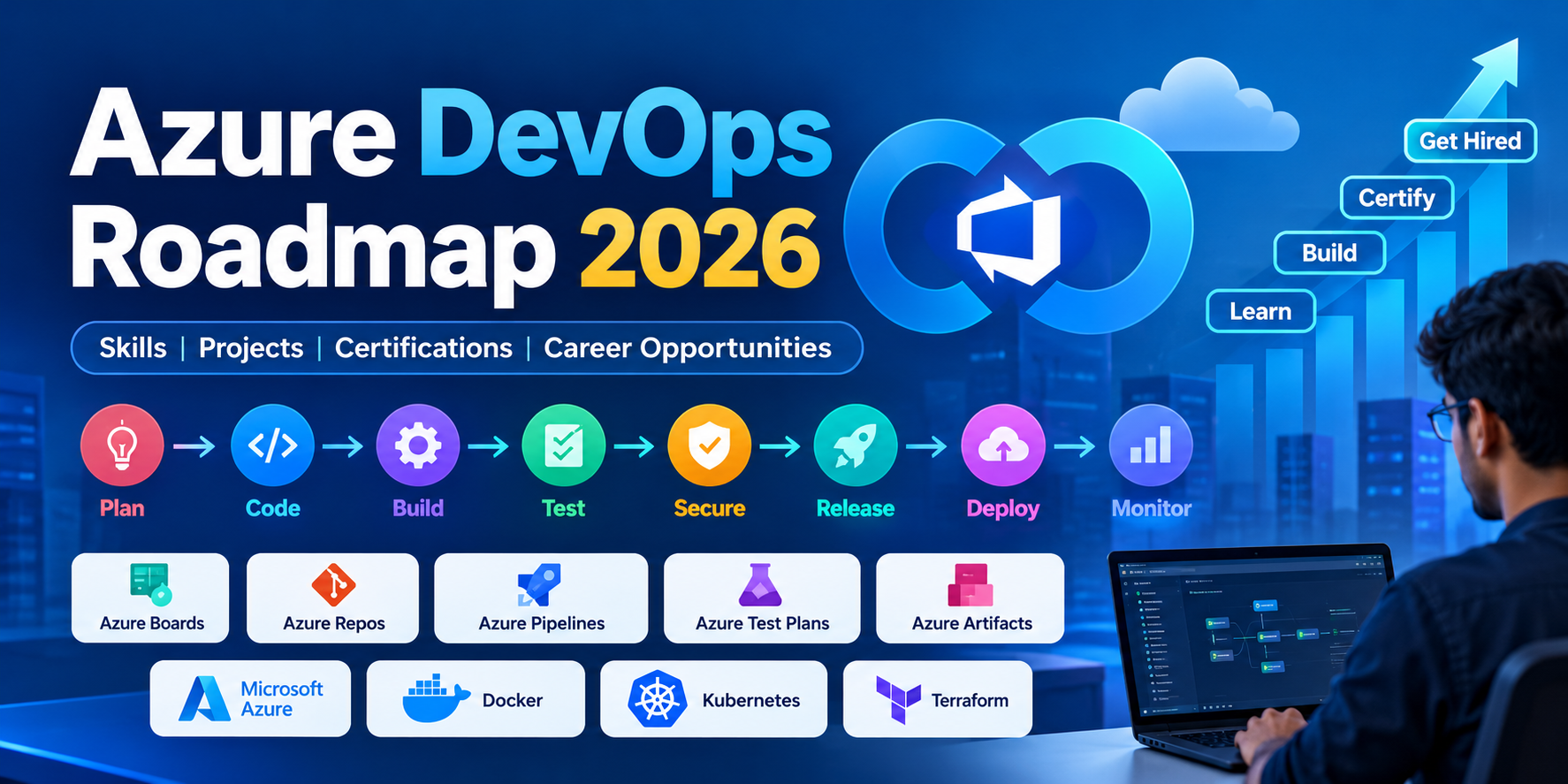
Azure DevOps Roadmap 2026: Skills, AI Trends, Projects and Career Opportunities in India
Last Updated: October 2026
Meta Title: Azure DevOps Roadmap 2026: Skills, Projects & Careers in India
Meta Description: Explore the Azure DevOps roadmap for 2026, including essential skills, CI/CD pipelines, Azure certifications, AI-powered DevOps, hands-on projects and career opportunities in India.
URL Slug: azure-devops-roadmap-2026
Primary Keyword: Azure DevOps Roadmap 2026
Related Keywords: Azure DevOps training, Azure DevOps Engineer roadmap, DevOps Engineer jobs in India, Azure Pipelines, CI/CD pipeline, AZ-400 certification, DevSecOps, Azure DevOps projects for beginners.
Introduction
The way software is developed, tested and deployed is changing rapidly. Companies want to release applications faster, automate repetitive tasks, improve software quality and maintain secure cloud infrastructure. To achieve these goals, many engineering teams use DevOps practices and tools.
Azure DevOps is an important technology for professionals who want to build careers in cloud engineering, software delivery automation and DevOps engineering.
In 2026, learning Azure DevOps involves more than understanding a single platform. Professionals also need practical knowledge of Git, Linux, CI/CD pipelines, cloud infrastructure, containers, automation and security. AI-assisted development and code reviews are also becoming part of modern software delivery workflows.
Whether you are a fresher, a software developer, a system administrator or an IT professional planning a career transition, this guide explains how to learn Azure DevOps step by step.
What Is Azure DevOps?
Azure DevOps is Microsoft's platform for managing the software development lifecycle. It provides tools for planning projects, managing source code, automating builds, testing applications and delivering software.
Its main services include:
- Azure Boards: Plan projects, track tasks, manage backlogs and organise Agile workflows.
- Azure Repos: Store source code using Git repositories and manage collaboration through branches and pull requests.
- Azure Pipelines: Automate application builds, testing and deployments using CI/CD pipelines.
- Azure Test Plans: Organise manual and exploratory testing activities.
- Azure Artifacts: Host and share packages used by development teams.
These services can be integrated with technologies such as GitHub, Docker, Kubernetes, Terraform and Microsoft Azure infrastructure.
A typical DevOps workflow looks like this:
Plan → Code → Build → Test → Secure → Release → Deploy → Monitor
The goal is to make software delivery more reliable, repeatable and efficient.
Why Learn Azure DevOps in 2026?
Several industry developments make Azure DevOps and related automation skills relevant for IT professionals.
1. Automation and CI/CD
Organisations want to reduce repetitive manual work in software delivery. CI/CD pipelines help automate building, testing and deploying applications whenever code changes.
2. Cloud Infrastructure
Cloud platforms enable teams to provision infrastructure, deploy applications and scale services according to demand. Azure knowledge combined with DevOps automation can be useful for cloud-focused engineering roles.
3. DevSecOps and Software Supply Chain Security
Security is increasingly integrated into the software development lifecycle. Teams use secret detection, dependency scanning, code analysis and controlled deployment approvals to reduce risks.
4. AI-Assisted DevOps
AI is changing how development teams handle code reviews, troubleshooting and repetitive engineering tasks.
Microsoft has introduced AI-assisted code review capabilities for Azure Repos and continues to develop security-related automation for Azure DevOps workflows.
AI can assist engineers, but teams still need human review, testing, security controls and approval processes before deploying changes to production.
5. Platform Engineering and Infrastructure Automation
Modern engineering teams increasingly standardise how applications are built and deployed. Infrastructure as Code tools such as Terraform help teams manage cloud resources through version-controlled configuration rather than relying entirely on manual setup.
For learners, the key takeaway is simple: learn the fundamentals first, then combine Azure DevOps with automation, cloud infrastructure and security skills.
Azure DevOps Roadmap 2026: Step-by-Step Learning Path
You do not need to learn every DevOps tool at once. Follow a structured roadmap and practise each skill through small projects.
Step 1: Learn Linux and Networking Fundamentals
Linux and networking knowledge will help you troubleshoot servers, deployment failures and application connectivity issues.
Focus on:
- Linux commands and file management
- Users, groups and file permissions
- Processes and services
- Shell scripting fundamentals
- SSH and remote server access
- IP addresses, DNS, ports and firewalls
- HTTP and HTTPS
- Logs and basic troubleshooting
Practice project: Set up a Linux virtual machine, deploy a simple web application and learn how to inspect application logs and restart services.
Step 2: Learn Git and Version Control
Git is a fundamental skill for DevOps engineers. It helps development teams track code changes, collaborate and manage different versions of applications.
Learn:
- Git repositories and commits
- Branching and merging
- Pull requests and code reviews
- Merge conflicts
- Branch protection
- GitHub or Azure Repos
Practice project: Create a Git repository for a sample application, use feature branches and merge changes through pull requests.
Step 3: Understand Microsoft Azure Fundamentals
Before automating cloud deployments, understand the infrastructure on which applications run.
Study:
- Azure virtual machines
- Azure App Service
- Azure Storage
- Virtual networks and network security
- Microsoft Entra ID and access management
- Resource groups and subscriptions
- Azure Monitor
- Cloud resource costs and budgets
Practice project: Deploy a basic web application to Azure App Service and configure the required application settings.
Step 4: Learn Azure DevOps Services
Once you understand Git and cloud fundamentals, explore the main Azure DevOps services.
Start with Azure Boards to manage tasks and sprints. Then create a Git repository in Azure Repos and learn how pull requests support collaboration.
Next, explore Azure Pipelines, Azure Test Plans and Azure Artifacts.
Understand how teams use work items, repositories, pipeline runs, artifacts and release approvals during software delivery.
Practice project: Create an Azure DevOps project with a work backlog, a Git repository and a basic build pipeline.
Step 5: Master CI/CD Pipelines
Continuous Integration and Continuous Delivery or Deployment are among the most important skills for DevOps engineers.
A typical CI/CD pipeline includes:
- A developer pushes code to a repository.
- The pipeline installs dependencies and builds the application.
- Automated tests run to validate the changes.
- The pipeline creates a deployable artifact.
- The application is deployed to a test or staging environment.
- Production deployment occurs according to the configured approval and release strategy.
Learn Azure Pipelines, YAML pipeline configuration, build agents, pipeline variables, artifacts, environment approvals and deployment strategies.
Practice project: Build a CI/CD pipeline for a Node.js or React application that runs tests, creates a production build and deploys the application to Azure App Service.
Step 6: Learn Docker and Kubernetes
Containers package applications and their dependencies into consistent, portable environments.
Learn Docker first, followed by Kubernetes fundamentals.
Important topics include:
- Docker images and containers
- Dockerfiles and image registries
- Container networking and volumes
- Kubernetes pods and deployments
- Services and ingress
- ConfigMaps and secrets
- Container health checks
- Rolling updates and rollback
After understanding these concepts, explore Azure Kubernetes Service (AKS) and how Azure Pipelines can deploy containerised applications.
Practice project: Containerise a web application, push its image to a container registry and deploy it to a Kubernetes environment.
Step 7: Learn Infrastructure as Code with Terraform
Infrastructure as Code allows teams to provision and manage infrastructure through configuration files.
Terraform is a useful tool to learn alongside Azure DevOps.
Focus on:
- Terraform providers and resources
- Variables and outputs
- State management
- Reusable modules
- Environment-specific configuration
- Automated infrastructure deployment
- Secure handling of credentials
Practice project: Use Terraform to provision an Azure resource group and application infrastructure, then integrate the Terraform workflow with an Azure Pipeline.
Step 8: Learn DevSecOps and Monitoring
A successful deployment is not enough. Applications must also be secure, observable and reliable.
Study:
- Secret management and credential protection
- Dependency vulnerability scanning
- Static code analysis
- Role-based access control
- Secure pipeline variables and service connections
- Azure Monitor and Application Insights
- Logs, metrics and alerts
- Deployment rollback and incident troubleshooting
Practice project: Add automated tests and security checks to an existing pipeline, configure application monitoring and create an alert for a simulated application failure.
How AI Is Changing Azure DevOps
AI-assisted engineering is an important development to understand in 2026.
AI tools can help engineers:
- Draft pipeline YAML and infrastructure configuration
- Explain pipeline errors
- Suggest improvements to code
- Summarise pull request changes
- Identify potential code quality issues
- Assist with troubleshooting and documentation
Microsoft's evolving Azure DevOps and GitHub integrations include AI-assisted code review and security-related workflows.
However, AI-generated configuration can still contain errors or insecure settings. Engineers must validate suggestions, run automated tests, review permissions and protect production environments.
For aspiring DevOps professionals, a valuable combination is strong technical fundamentals + automation skills + the ability to use AI responsibly.
Best Azure DevOps Projects for Your Resume
Practical projects demonstrate that you can apply concepts in realistic engineering workflows.
ProjectSkills Demonstrated
Automated web application deployment
Git, Azure Repos, Azure Pipelines, CI/CD
Docker-based application delivery
Docker, container registry, pipeline automation
Kubernetes deployment automation
Kubernetes, AKS, rollout and rollback
Automated cloud infrastructure
Terraform, Azure resources, Infrastructure as Code
Secure CI/CD pipeline
Secret management, code analysis, dependency scanning
Monitored production application
Azure Monitor, Application Insights, alerts
Recommended Capstone Project
Build an end-to-end application delivery workflow using a sample React or Node.js application.
Your project should include:
- Source code stored in Git
- Branching and pull request reviews
- Automated build and test pipelines
- A Docker image
- Infrastructure provisioned through Terraform
- Deployment to Azure App Service or AKS
- Security checks and protected secrets
- Monitoring and deployment rollback documentation
Document the architecture, setup instructions, pipeline configuration and troubleshooting steps in your repository.
A well-documented project gives interviewers concrete evidence of your technical skills rather than just a list of tools on your resume.
Azure DevOps Certification Path
Certifications can help structure your learning, but they should complement hands-on experience rather than replace it.
Consider the following learning path:
1. Azure Fundamentals
Learn the basics of cloud computing, Azure services, security and pricing. The AZ-900 certification is an optional starting point for beginners.
2. Azure Administrator Skills
Understand Azure infrastructure, identity, networking, monitoring and resource management. These skills are useful preparation for many cloud engineering tasks.
3. Azure DevOps Engineering
Learn repositories, CI/CD pipelines, automated testing, infrastructure deployment, monitoring and security practices.
4. Azure DevOps Engineer Expert
Explore Microsoft's current Azure DevOps Engineer Expert certification requirements and the AZ-400 exam details before planning your certification attempt. Microsoft certification prerequisites and exam requirements can change.
Official resources:
- Microsoft Learn: https://learn.microsoft.com/training/
- Azure DevOps documentation: https://learn.microsoft.com/azure/devops/
- Azure DevOps release notes and roadmap: https://learn.microsoft.com/azure/devops/release-notes/
- Microsoft Certifications: https://learn.microsoft.com/credentials/
Always verify the current exam objectives and eligibility requirements on Microsoft's official website.
Azure DevOps Career Opportunities in India
Azure DevOps skills can support several career paths, depending on your experience and the depth of your technical knowledge.
Potential roles include:
- DevOps Engineer
- Azure DevOps Engineer
- Cloud Engineer
- Build and Release Engineer
- CI/CD Engineer
- Infrastructure Automation Engineer
- Platform Engineer
- Site Reliability Engineer (SRE)
Beginners should not expect every role to be an entry-level position. Many employers look for a combination of Linux, scripting, Git, cloud fundamentals, automation and troubleshooting experience.
Experienced developers and system administrators may be able to transition more quickly because they already understand parts of the software development or infrastructure lifecycle.
How to Prepare for Azure DevOps Interviews
Prepare to explain and demonstrate the following:
- How a CI/CD pipeline works
- The difference between continuous delivery and continuous deployment
- How Git branching and pull requests work
- How to troubleshoot a failed pipeline
- How to configure secrets safely
- How Docker containers differ from virtual machines
- How Kubernetes deployments and services work
- How Terraform manages infrastructure
- How to implement deployment approvals and rollback
- How to monitor a deployed application
Practise explaining your own projects, the decisions you made and the issues you resolved. This is more valuable than memorising definitions alone.
How Long Does It Take to Learn Azure DevOps?
The time required depends on your current skills, study schedule and practical experience.
Learning StageIndicative Duration
Linux, networking and Git
4–6 weeks
Azure fundamentals
2–4 weeks
Azure DevOps and CI/CD
4–6 weeks
Docker and Kubernetes basics
4–6 weeks
Terraform, security and monitoring
4–6 weeks
Capstone project and interview preparation
2–4 weeks
These are indicative study periods, not guaranteed completion times. Some topics can be learned in parallel, while learners new to programming, Linux or cloud computing may need additional time.
A structured plan with regular lab practice will generally be more effective than learning tools only through theory.
Frequently Asked Questions
Is Azure DevOps suitable for freshers?
Yes. Freshers can begin with Linux, Git, cloud fundamentals and basic CI/CD pipelines. Building practical projects will help them demonstrate their skills when applying for relevant junior roles.
Do I need coding knowledge to learn Azure DevOps?
You do not need to be an expert software developer, but basic programming and scripting knowledge is helpful. Learn Git, YAML, shell scripting and at least one language such as Python or JavaScript.
Is Azure DevOps the same as Microsoft Azure?
No. Microsoft Azure is a cloud computing platform. Azure DevOps provides tools for planning, managing source code, building, testing and delivering software. They can work together as part of a cloud delivery workflow.
Should I learn Jenkins or Azure Pipelines first?
Choose based on your target environment. Azure Pipelines is a logical starting point for Azure-focused workflows. Jenkins is also widely used and can be valuable in organisations with existing Jenkins infrastructure. Understanding CI/CD principles makes it easier to work with different tools.
Is AZ-400 enough to get a DevOps job?
A certification alone does not guarantee a job. Combine certification preparation with hands-on pipeline development, cloud fundamentals, automation, troubleshooting and portfolio projects.
What should I learn after Azure DevOps?
Depending on your goals, consider Terraform, Docker, Kubernetes, cloud security, observability and platform engineering. You can also explore AI-assisted development workflows after building a strong foundation in automation and software delivery.
Conclusion
Azure DevOps remains a useful skill set for professionals interested in cloud engineering, CI/CD automation and modern software delivery. In 2026, the most effective learning approach is to combine core DevOps concepts with cloud infrastructure, containerisation, Infrastructure as Code, security and AI-assisted workflows.
Start with Linux and Git, learn Azure fundamentals, practise Azure Pipelines, and gradually expand into Docker, Kubernetes and Terraform. Most importantly, build and document real projects that demonstrate your ability to automate the software delivery lifecycle.
Ready to begin your DevOps journey? Explore structured training, practise through hands-on projects and build the technical foundation needed to pursue cloud and DevOps career opportunities.
Suggested internal links for your institute website:
- Azure DevOps Training
- Azure Cloud Training
- DevOps Engineer Career Roadmap
- Cloud Computing Courses
- Terraform and Kubernetes Training
- DevOps Interview Questions and Answers
Suggested featured image alt text: Azure DevOps Roadmap 2026 showing CI/CD pipelines, cloud infrastructure, Docker, Kubernetes, Terraform and DevSecOps.