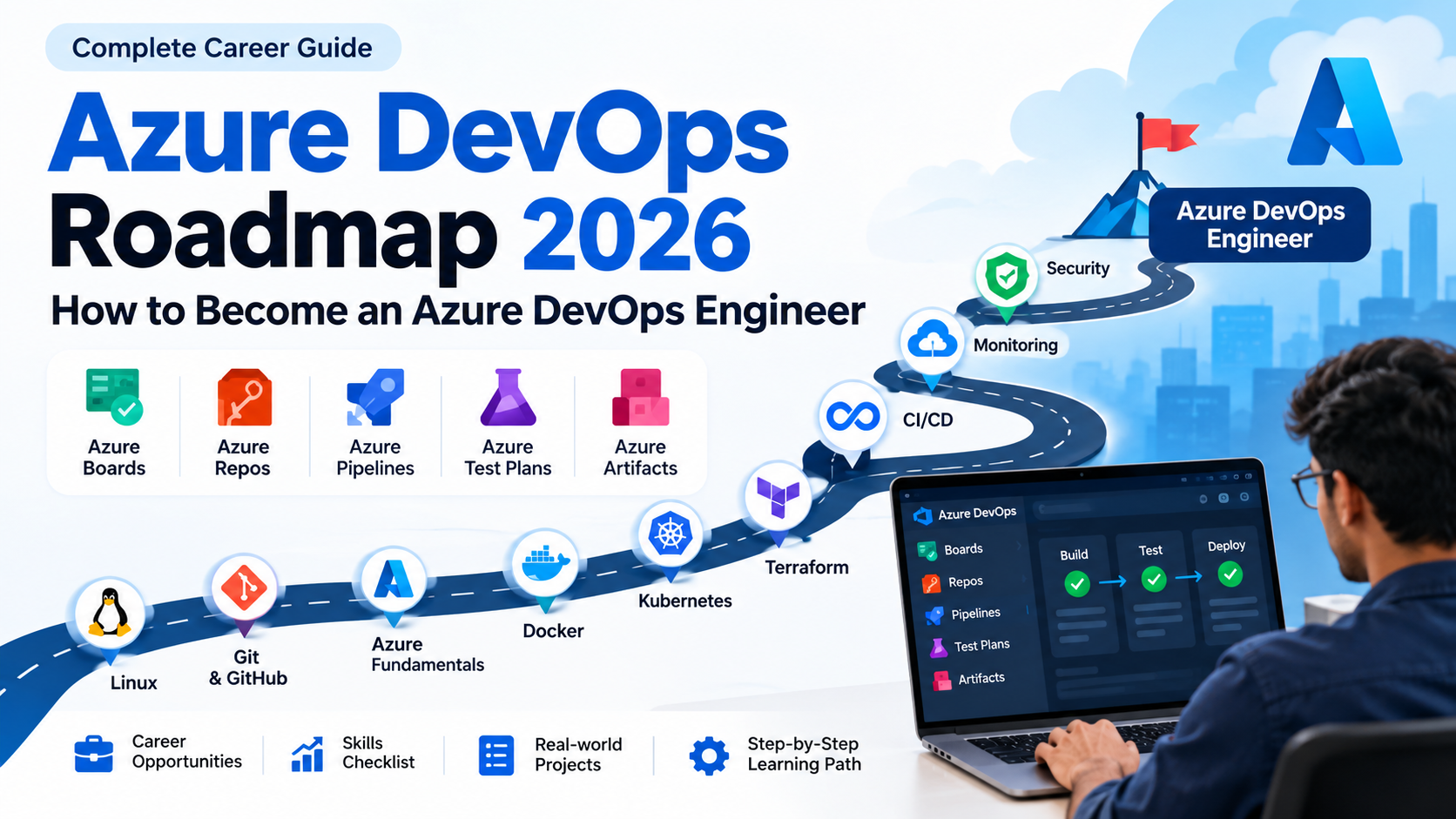
Azure DevOps Roadmap 2026: How to Become an Azure DevOps Engineer
Cloud computing and DevOps have become essential parts of modern software development. As organizations increasingly adopt cloud platforms and automated deployment pipelines, the demand for skilled DevOps professionals continues to grow.
Among the major DevOps platforms, Microsoft Azure DevOps provides an integrated set of tools for planning, developing, testing and deploying applications.
If you are planning to become an Azure DevOps Engineer in 2026, it is important to understand not only Azure DevOps itself but also the surrounding technologies such as Git, Linux, Docker, Kubernetes, Terraform, CI/CD, cloud infrastructure and security.
This complete Azure DevOps roadmap for 2026 explains what you should learn, in what order you should learn it, and which projects can help you become job-ready.
What Is Azure DevOps?
Azure DevOps is Microsoft's platform for managing the software development lifecycle.
It provides tools for planning work, managing source code, building applications, testing software and deploying applications.
The main Azure DevOps services include:
- Azure Boards
- Azure Repos
- Azure Pipelines
- Azure Test Plans
- Azure Artifacts
These services can be used together to create an end-to-end development and deployment workflow. Microsoft Learn
A typical DevOps workflow looks like this:
Plan → Code → Build → Test → Release → Deploy → Monitor → Improve
Azure DevOps can also integrate with other technologies such as GitHub, Docker, Kubernetes, Terraform and cloud services.
Azure DevOps Roadmap 2026
If you are starting from scratch, don't try to learn every DevOps tool at once.
Follow a structured learning path.
Azure DevOps learning roadmap:
1. Linux
↓
2. Networking Fundamentals
↓
3. Git & GitHub
↓
4. Azure Fundamentals
↓
5. Azure DevOps
↓
6. Azure Repos
↓
7. Azure Pipelines
↓
8. CI/CD
↓
9. YAML
↓
10. Docker
↓
11. Kubernetes
↓
12. Terraform / Infrastructure as Code
↓
13. Azure Monitoring
↓
14. DevSecOps & Security
↓
15. Real-world DevOps Projects
This combination gives you a strong foundation for an Azure DevOps career.
1. Learn Linux Fundamentals
Linux is one of the most important foundations for DevOps engineers.
You don't necessarily need to become a Linux administrator, but you should be comfortable working with the command line.
Learn:
- Linux file system
- Files and directories
- Permissions
- Users and groups
- Processes
- Services
- Package management
- SSH
- Environment variables
- Networking commands
- Shell scripting
- Logs
- Cron jobs
Important commands to know include:
ls
cd
pwd
cp
mv
rm
mkdir
cat
grep
find
chmod
chown
ps
top
df
du
systemctl
curl
wget
ssh
Once you are comfortable with Linux, working with cloud servers and DevOps tools becomes significantly easier.
2. Learn Networking Basics
DevOps engineers work with applications, servers, containers and cloud infrastructure, so networking knowledge is extremely useful.
Learn the fundamentals of:
- IP addresses
- DNS
- HTTP and HTTPS
- TCP/IP
- Ports
- Firewalls
- Load balancers
- Proxies
- Subnets
- Virtual networks
- Public and private IP addresses
You should understand what happens when a user enters a website URL into a browser.
For example:
User → DNS → Load Balancer → Web Server → Application → Database
Understanding this flow will help you troubleshoot real-world deployment problems.
3. Learn Git and GitHub
Git is a fundamental skill for DevOps engineers.
You should understand:
- Git repositories
- Commits
- Branches
- Merging
- Pull requests
- Rebasing
- Tags
- Remote repositories
- Branch protection
- Merge conflicts
- Git workflows
Important commands include:
git clone
git init
git add
git commit
git push
git pull
git branch
git checkout
git switch
git merge
git rebase
git log
git stash
You should also understand how Git is used in a development team's workflow.
For example:
Developer → Feature Branch → Pull Request → Code Review → Merge → CI/CD Pipeline
4. Learn Microsoft Azure Fundamentals
Before becoming an Azure DevOps Engineer, you should understand the basics of Microsoft Azure.
Focus on services that are commonly used in application deployment and DevOps workflows.
Learn:
Compute
- Azure Virtual Machines
- Azure App Service
- Azure Functions
- Virtual Machine Scale Sets
Storage
- Azure Storage
- Blob Storage
- File Storage
Networking
- Azure Virtual Network
- Subnets
- Network Security Groups
- Load Balancer
- Application Gateway
- Azure DNS
Databases
- Azure SQL
- Azure Database services
- Cosmos DB basics
Containers
- Azure Container Registry
- Azure Kubernetes Service
Monitoring
- Azure Monitor
- Application Insights
- Log Analytics
You don't need to master every Azure service initially.
Focus on the services you are likely to use in real DevOps projects.
5. Learn Azure DevOps Services
Now start learning Azure DevOps itself.
The platform provides integrated services covering planning, source control, CI/CD, testing and package management. Microsoft Learn
Azure Boards
Azure Boards is used for planning and tracking work.
Learn:
- Work items
- User stories
- Tasks
- Bugs
- Backlogs
- Sprints
- Kanban boards
- Dashboards
- Queries
Azure Repos
Azure Repos provides Git repositories for source code management.
Learn:
- Git repositories
- Branches
- Pull requests
- Branch policies
- Code reviews
- Repository permissions
Azure Pipelines
Azure Pipelines is one of the most important services for DevOps engineers.
It is used to automate:
- Building applications
- Running tests
- Creating packages
- Building containers
- Deploying applications
Azure Pipelines supports CI/CD workflows across different languages, platforms and cloud environments. Microsoft Learn
Azure Test Plans
Azure Test Plans provides tools for managing and tracking testing.
Learn:
- Test cases
- Test suites
- Manual testing
- Exploratory testing
- Test results
- Automated test integration
Azure Artifacts
Azure Artifacts allows teams to create and manage package feeds.
It can be used for packages such as:
- npm
- Maven
- NuGet
- Python
- Universal Packages
6. Master CI/CD
CI/CD is one of the most important concepts for an Azure DevOps Engineer.
Continuous Integration
Developers frequently merge code into a shared repository.
The pipeline automatically:
Builds → Tests → Validates
Continuous Delivery / Deployment
After the code passes validation, it can be deployed automatically to environments such as:
Development → Testing → Staging → Production
A typical pipeline can look like:
Developer
↓
Git Repository
↓
Pull Request
↓
Build
↓
Unit Tests
↓
Code Quality
↓
Docker Build
↓
Container Registry
↓
Deployment
↓
Azure
7. Learn YAML Pipelines
YAML is an essential skill for modern Azure Pipelines.
Microsoft's current roadmap continues to prioritize YAML pipelines and recommends YAML over classic pipelines for new development. Microsoft Learn
A basic pipeline might look like:
trigger:
- main
pool:
vmImage: ubuntu-latest
steps:
- script: npm install
displayName: Install dependencies
- script: npm test
displayName: Run tests
- script: npm run build
displayName: Build application
You should eventually learn:
- Stages
- Jobs
- Steps
- Variables
- Variable groups
- Templates
- Conditions
- Environments
- Approvals
- Deployment strategies
- Pipeline secrets
- Service connections
8. Learn Docker
Containers are an important part of modern DevOps.
Learn:
- Docker images
- Containers
- Dockerfiles
- Docker Compose
- Volumes
- Networks
- Registries
- Image tagging
- Container security
Understand the workflow:
Source Code → Dockerfile → Docker Image → Container Registry → Deployment
For Azure, you should also understand Azure Container Registry (ACR).
9. Learn Kubernetes
Kubernetes is an important skill for DevOps engineers working with containerized applications.
For Azure environments, learn Azure Kubernetes Service (AKS).
Start with:
- Pods
- Deployments
- Services
- Namespaces
- ConfigMaps
- Secrets
- Ingress
- Persistent volumes
- Health checks
- Scaling
- Rolling deployments
Then learn how Azure DevOps pipelines can deploy applications to AKS.
Example:
Developer
↓
Git
↓
Azure Pipeline
↓
Docker Build
↓
Azure Container Registry
↓
AKS
↓
Application
10. Learn Terraform and Infrastructure as Code
Infrastructure as Code allows you to define infrastructure using configuration files instead of manually creating resources.
Terraform is one of the most popular tools for this approach.
Learn:
- Terraform providers
- Resources
- Variables
- Outputs
- Modules
- State
- Remote state
- Workspaces
- Terraform plan
- Terraform apply
- Terraform destroy
For example, instead of manually creating infrastructure:
Virtual Network
Virtual Machine
Database
Storage
Load Balancer
you define the infrastructure as code and allow automation to provision it.
11. Learn Monitoring and Observability
Deployment is not the end of the DevOps lifecycle.
You also need to understand what happens after an application reaches production.
Learn:
- Azure Monitor
- Application Insights
- Log Analytics
- Metrics
- Logs
- Alerts
- Dashboards
- Application performance monitoring
- Availability monitoring
A good DevOps engineer should be able to answer:
"The application was deployed successfully. Why is it slow or unavailable?"
12. Learn DevSecOps
Security should be integrated throughout the software development lifecycle.
Learn:
- Secret management
- Identity and access management
- Secure pipelines
- Dependency scanning
- Container security
- Code scanning
- Secret scanning
- Least-privilege access
- Azure Key Vault
Azure DevOps is also expanding security capabilities around code scanning, dependency scanning and secret detection through GitHub Advanced Security for Azure DevOps. Microsoft Learn
13. Learn AI and Modern Azure DevOps Tools
AI is becoming increasingly relevant to DevOps workflows.
Microsoft's current Azure DevOps roadmap includes capabilities such as Copilot Code Reviews for Azure Repos and AI-assisted security features. Microsoft Learn
You should understand how AI can help with:
- Code reviews
- Pipeline troubleshooting
- Documentation
- Security analysis
- Log analysis
- Incident investigation
- Infrastructure automation
Azure DevOps also has an MCP Server in its current roadmap, showing the growing connection between DevOps workflows and AI-powered developer tools. Microsoft Learn
14. Build Real-World Azure DevOps Projects
Learning tools individually isn't enough.
You need projects that demonstrate how these technologies work together.
Project 1: CI/CD for a Web Application
Build:
GitHub / Azure Repos
↓
Azure Pipelines
↓
Build
↓
Unit Tests
↓
Docker
↓
Azure Container Registry
↓
Azure App Service
Project 2: Docker + Kubernetes Deployment
Build:
Git
↓
Azure Pipeline
↓
Docker Image
↓
ACR
↓
AKS
↓
Application
Project 3: Terraform Infrastructure
Create:
- Resource Group
- Virtual Network
- Subnets
- VM
- Storage
- Azure Container Registry
using Terraform.
Then automate the infrastructure deployment through Azure Pipelines.
Project 4: Complete DevOps Project
Create a production-style application with:
Git + Azure Repos + Azure Pipelines + Docker + ACR + AKS + Terraform + Azure Monitor + Key Vault
This type of project can become a strong portfolio project for an Azure DevOps job.
Azure DevOps Skills Checklist for 2026
Before applying for Azure DevOps positions, aim to be comfortable with:
Fundamentals
- Linux
- Networking
- Git
- Bash/Scripting
Azure
- Virtual Machines
- App Service
- Storage
- Networking
- Azure Monitor
- Key Vault
Azure DevOps
- Azure Boards
- Azure Repos
- Azure Pipelines
- Azure Test Plans
- Azure Artifacts
DevOps
- CI/CD
- YAML
- Docker
- Kubernetes
- Terraform
- Infrastructure as Code
Security
- Secrets
- IAM
- Key Vault
- Security scanning
- Dependency scanning
Modern Skills
- AI-assisted DevOps
- Copilot
- MCP concepts
- Cloud automation
How Long Does It Take to Learn Azure DevOps?
The time required depends on your existing technical knowledge.
Beginner
If you are completely new to cloud and DevOps:
4–6 months
with consistent practice.
Developer transitioning to DevOps
If you already know programming, Git and basic cloud concepts:
3–4 months
can provide a strong foundation.
Experienced IT Professional
If you already work with Linux, cloud, Git and deployment:
2–3 months
of focused learning can help you build practical Azure DevOps skills.
The important factor is not simply completing tutorials.
You should spend significant time building and troubleshooting real projects.
Azure DevOps Career Opportunities
After developing these skills, you can explore roles such as:
- Azure DevOps Engineer
- DevOps Engineer
- Cloud DevOps Engineer
- Azure Cloud Engineer
- CI/CD Engineer
- Release Engineer
- Cloud Infrastructure Engineer
- Platform Engineer
- Site Reliability Engineer
- DevSecOps Engineer
The exact responsibilities vary between organizations, but modern DevOps roles commonly combine cloud infrastructure, automation, CI/CD, security and monitoring.
Azure DevOps Roadmap: Final Learning Path
If you want a simple version of the roadmap, follow this order:
1. Linux
↓
2. Networking
↓
3. Git & GitHub
↓
4. Azure Fundamentals
↓
5. Azure DevOps
↓
6. Azure Repos
↓
7. Azure Pipelines
↓
8. YAML & CI/CD
↓
9. Docker
↓
10. Azure Container Registry
↓
11. Kubernetes / AKS
↓
12. Terraform
↓
13. Azure Monitor
↓
14. DevSecOps
↓
15. AI-assisted DevOps
↓
16. Real-world Projects
Final Thoughts
Becoming an Azure DevOps Engineer is not about memorizing a long list of Azure services.
The goal is to understand how the entire software delivery lifecycle works:
Plan → Code → Build → Test → Secure → Deploy → Monitor → Improve
Start with Linux, Git and networking. Then learn Azure fundamentals and Azure DevOps. After that, focus heavily on CI/CD, YAML, Docker, Kubernetes and Terraform.
Finally, build real-world projects that demonstrate how all these technologies work together.
If you're consistent with hands-on practice and build a strong portfolio, you can develop the practical skills required for an Azure DevOps career in 2026.