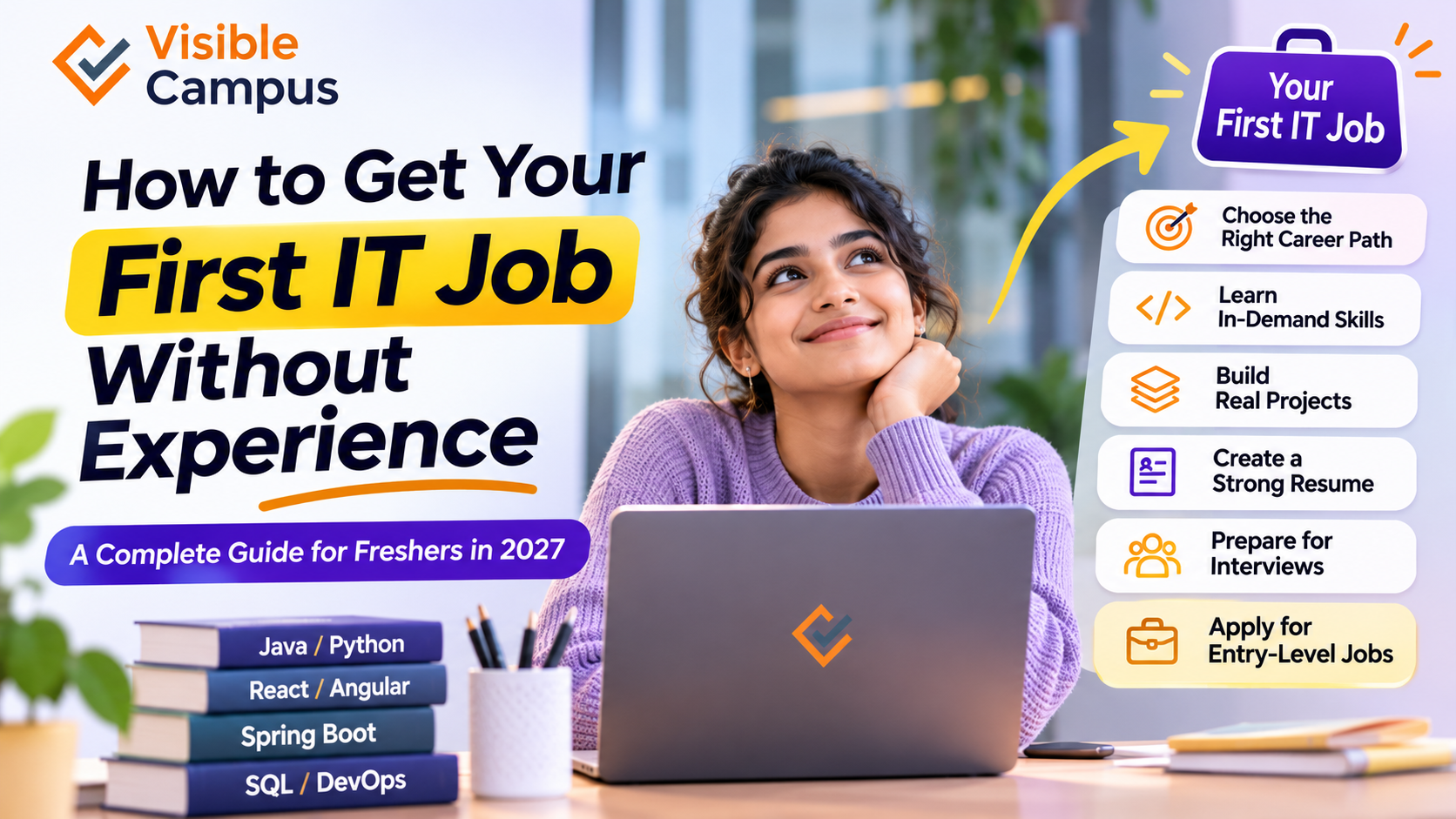
How to Get Your First IT Job Without Experience: A Complete Guide for Freshers in 2027
Category: Career Guidance
Target Audience: Fresh Graduates, Non-IT Students, Beginners and Job Seekers
Reading Time: 10–12 Minutes
Introduction
Getting your first IT job can feel challenging, especially when most companies ask for previous work experience, technical skills and practical knowledge.
Many fresh graduates face the same problem:
- Companies want experienced candidates.
- Freshers don't have professional work experience.
- Students know theoretical concepts but lack practical exposure.
- Candidates struggle with technical interviews.
- Many job seekers don't know which technologies to learn.
But here is the good news: You don't always need professional work experience to start your IT career.
Companies also hire entry-level candidates who demonstrate strong fundamentals, problem-solving abilities, practical project experience and a willingness to learn.
Whether you have completed B.Tech, BCA, B.Sc, B.Com, BBA or another degree, you can work towards an IT career by following the right learning path.
In this guide, we will explain how to get your first IT job without experience, which skills to learn, how to build a resume, what projects to create and how to prepare for technical interviews.
1. Can You Get an IT Job Without Experience?
Yes! Many organizations recruit fresh graduates for entry-level positions such as:
- Junior Software Developer
- Java Developer Trainee
- Python Developer Trainee
- Frontend Developer
- Software Testing Engineer
- Technical Support Engineer
- Data Analyst Trainee
- IT Support Executive
- Cloud Support Associate
For entry-level positions, employers may evaluate candidates based on:
- Programming fundamentals.
- Logical thinking and problem-solving.
- Knowledge of relevant technologies.
- Academic projects and personal projects.
- Communication skills.
- Learning ability and adaptability.
You don't need to know everything before applying. However, you should demonstrate that you understand the fundamentals of your chosen role and can apply them in practical situations.
2. Choose the Right IT Career Path
Before learning programming, decide which IT domain interests you.
The IT industry offers several career paths, and each requires a different combination of skills.
Popular IT career options for freshers
Career PathSkills to LearnPopular Technologies
Java Full Stack Developer
Programming, Frontend, Backend
Java, Spring Boot, React, SQL
Python Developer
Programming, Backend Development
Python, Django, FastAPI
Frontend Developer
UI Development
HTML, CSS, JavaScript, React
Data Analyst
Data Analysis and Visualization
SQL, Python, Excel, Power BI
Software Tester
Manual and Automation Testing
Selenium, Java, Cypress
Cloud Engineer
Cloud Infrastructure
AWS, Azure, Linux
DevOps Engineer
Automation and Deployment
Docker, Kubernetes, Jenkins
How to choose your career path
- Interested in building websites? Start with frontend development.
- Interested in building complete applications? Explore Full Stack Development.
- Interested in Artificial Intelligence? Start with Python.
- Interested in working with business data? Explore Data Analytics.
- Interested in finding software bugs? Learn Software Testing.
- Interested in servers and infrastructure? Explore Cloud Computing and DevOps.
Career tip: Don't try to learn all these technologies simultaneously. Choose one career path and build your skills progressively.
3. Learn the Technical Skills Companies Expect
Once you select a career path, focus on developing the technical skills required for that role.
For example, if you want to become a Java Full Stack Developer, you should understand both frontend and backend development.
Essential skills for Java Full Stack Developers
Frontend Development
- HTML
- CSS
- JavaScript
- React or Angular
Backend Development
- Core Java
- Object-Oriented Programming
- Spring Boot
- REST API Development
- Hibernate
Database
- SQL
- MySQL
- Database Design
- CRUD Operations
Development Tools
- Git and GitHub
- VS Code or IntelliJ IDEA
- Postman
- Maven
You don't need to master every tool immediately. Start with programming fundamentals and gradually move towards frameworks and practical application development.
4. Build Real-World Projects Instead of Only Learning Theory
One of the biggest mistakes freshers make is focusing entirely on theoretical knowledge.
Companies want to understand whether you can apply what you have learned.
Building practical projects is one of the best ways to demonstrate your technical abilities when you don't have professional experience.
Top projects freshers can build
ProjectTechnologiesSkills Demonstrated
Student Management System
Java, Spring Boot, MySQL
CRUD, APIs, Database
E-commerce Website
React, Node.js, MongoDB
Full Stack Development
Employee Management System
Java, React, MySQL
Frontend and Backend
Expense Tracker
Python, Django, SQLite
Backend Development
Sales Dashboard
SQL, Power BI
Data Analysis
Online Examination System
Java, Spring Boot, React
Application Development
Example: How a Student Management System works
A student management application allows administrators to add, update, view and delete student records.
It demonstrates important software development concepts such as:
- Frontend development.
- Backend API development.
- Database integration.
- Data validation.
- CRUD operations.
Example: Java REST API code
Here is a simple Spring Boot REST API endpoint to retrieve student information.
@RestController
@RequestMapping("/api/students")
public class StudentController {

    @GetMapping
    public List<String> getStudents() {

        return Arrays.asList(
            "Rahul",
            "Priya",
            "Arjun"
        );
    }
}
API Endpoint:
GET http://localhost:8080/api/studentsResponse:
[
    "Rahul",
    "Priya",
    "Arjun"
]
This small example demonstrates how a backend application can expose data through a REST API.
For a portfolio project, extend it with database integration, create and update endpoints, validation, authentication and a frontend interface.
5. Create a Professional Resume Even Without Work Experience
Your resume is often the first thing a recruiter sees.
Many freshers make the mistake of leaving their resume almost empty because they don't have professional experience.
Instead, focus on your education, technical skills, projects, internships, certifications and practical achievements.
Recommended fresher resume structure
- Full Name and Contact Information
- Professional Summary
- Technical Skills
- Academic Qualifications
- Personal and Academic Projects
- Internship Experience (if applicable)
- Certifications
- Achievements
Example: Fresher professional summary
"Motivated Computer Science graduate with knowledge of Java, Spring Boot, React and MySQL. Familiar with REST API development, object-oriented programming and database management. Developed practical projects involving frontend and backend technologies. Interested in starting a career as a Java Full Stack Developer."
Example: How to describe a project
Project Name: Student Management System
Technologies: Java, Spring Boot, React, MySQL
Description:
- Developed a student management application with CRUD functionality.
- Created REST APIs using Spring Boot.
- Integrated MySQL for storing student information.
- Developed an interactive frontend using React.
- Implemented data validation and error handling.
These details give recruiters a better understanding of what you can actually build.
Important: Include only technologies and project responsibilities you genuinely understand. Never invent work experience or project achievements.
6. Create a GitHub Profile and Showcase Your Projects
GitHub is a platform where developers store, manage and share their source code.
For freshers, it can act as a practical portfolio to demonstrate coding abilities.
What should you upload to GitHub?
- Programming exercises.
- Academic projects.
- Full Stack applications.
- Database projects.
- API development examples.
- Personal coding experiments.
How to create a good GitHub project
- Create a GitHub account.
- Create a repository for each project.
- Upload clean and organized source code.
- Add a README file.
- Explain the technologies used.
- Include installation and execution instructions.
- Add screenshots or a demo link where possible.
Example GitHub project structure
student-management-system/
│
├── frontend/
│   ├── src/
│   ├── public/
│   └── package.json
│
├── backend/
│   ├── src/
│   └── pom.xml
│
├── database/
│   └── schema.sql
│
└── README.md
A well-organized GitHub profile helps recruiters and interviewers understand your practical development experience.
7. Prepare for Technical Interviews
Clearing technical interviews is an important step towards getting your first IT job.
Many companies evaluate freshers through aptitude tests, coding rounds, technical interviews and HR discussions.
Important topics to prepare
Programming Fundamentals
- Variables and data types.
- Loops and conditions.
- Functions and methods.
- Arrays and strings.
- Object-Oriented Programming.
Database
- SQL queries.
- Joins.
- Primary and foreign keys.
- Normalization.
- CRUD operations.
Problem Solving
- Number-based programs.
- String manipulation.
- Array problems.
- Sorting and searching.
- Basic data structures.
Role-Specific Topics
- Java and Spring Boot for Java developers.
- React and JavaScript for frontend developers.
- Python and Pandas for Data Analysts.
- Selenium for Automation Testers.
Example technical interview question
Question: What is the difference between an array and an object in JavaScript?
Answer:
An array is used to store an ordered collection of values, while an object stores data using key-value pairs.
Example:
// Array
const technologies = [
    "Java",
    "Python",
    "JavaScript"
];

// Object
const student = {
    name: "Rahul",
    age: 22,
    course: "Java Full Stack"
};

console.log(technologies[0]);
console.log(student.name);
Output:
Java
Rahul
Practise explaining concepts in your own words rather than memorizing answers.
8. Apply for IT Jobs Through the Right Platforms
After developing your technical skills and preparing your resume, start applying for entry-level opportunities.
Popular job search platforms
PlatformPurpose
Job applications and networking
Naukri
IT job opportunities
Indeed
Entry-level job searches
Foundit
Fresher and experienced roles
Internshala
Internships and fresher opportunities
Company Career Pages
Direct applications
Useful job search keywords
Use relevant job titles when searching:
- Software Developer Fresher
- Java Developer Trainee
- Python Developer Fresher
- Graduate Engineer Trainee
- Junior Software Engineer
- Frontend Developer Fresher
- Data Analyst Trainee
- Software Testing Fresher
- Technical Support Engineer
Tips for applying
- Keep your resume updated.
- Apply for roles that match your current skills.
- Customize your resume for relevant positions.
- Connect with recruiters and developers on LinkedIn.
- Maintain a professional GitHub profile.
- Track your applications and interview feedback.
- Practise consistently while applying.
Be careful with job offers that ask candidates to pay money in exchange for guaranteed employment.
9. Complete Roadmap to Get Your First IT Job
Here is a structured learning and job preparation roadmap for beginners.
Beginner-to-job-seeker roadmap
flowchart TD
    A([Start Your IT Career Journey]) --> B[Understand Your Interests]
    B --> C[Choose an IT Career Path]
    C --> D[Learn Programming Fundamentals]
    D --> E[Learn Relevant Frameworks and Tools]
    E --> F[Practise Coding and Problem Solving]
    F --> G[Build 2-3 Practical Projects]
    G --> H[Create GitHub Portfolio]
    H --> I[Prepare a Professional Resume]
    I --> J[Practise Technical Interviews]
    J --> K[Apply for Entry-Level IT Jobs]
    K --> L{Selected?}
    L -->|Yes| M([Start Your IT Career])
    L -->|Not Yet| N[Improve Skills and Review Feedback]
    N --> F
Suggested 12-week preparation plan
This is an illustrative plan. The time required depends on your educational background, learning pace and the role you choose.
PeriodLearning Focus
Weeks 1–2
Programming Fundamentals
Weeks 3–4
Core Language Concepts
Weeks 5–6
Frameworks and Databases
Weeks 7–8
Build Practical Projects
Weeks 9–10
Resume, GitHub and Interview Preparation
Weeks 11–12
Apply for Jobs and Practise Interviews
The goal is to develop job-relevant skills and build evidence of your abilities, not simply finish a course within 12 weeks.
10. Common Mistakes Freshers Should Avoid
Many candidates spend months preparing for IT jobs without making meaningful progress.
Here are some mistakes you should avoid:
1. Learning too many technologies at once
Choose one career path and focus on the technologies required for that role.
2. Watching tutorials without practising
Understanding a concept is different from implementing it. Write code and build applications regularly.
3. Ignoring communication skills
Technical knowledge is important, but you should also be able to explain your projects and solutions clearly.
4. Having no practical projects
Build projects that demonstrate your knowledge instead of relying only on certificates.
5. Waiting until you feel completely ready
Once you have the required fundamentals and can demonstrate practical skills, start applying for suitable entry-level positions.
6. Copying projects without understanding them
Interviewers may ask you to explain your project architecture, code and decisions. Make sure you understand what you have built.
11. Can Non-IT Students Get Software Jobs?
Yes. Students from non-IT educational backgrounds can also pursue careers in the technology industry.
However, they need to develop the technical knowledge required for their chosen roles.
For example:
Educational BackgroundPossible IT Career Paths
B.Com
Data Analyst, Software Testing
B.Sc
Python Developer, Data Analyst
BBA
Business Analyst, Data Analyst
BCA
Software Developer, Tester
B.Tech
Software Developer, Cloud Engineer
BA
Technical Support, Software Testing
These are possible career directions, not guaranteed job outcomes. Individual eligibility depends on employer requirements, technical skills and hiring criteria.
The most important step is to choose a suitable domain and develop practical skills.
12. Final Checklist Before Applying for Your First IT Job
Use this checklist to evaluate your preparation.
- I have selected a specific IT career path.
- I understand the fundamentals of my chosen programming language.
- I have practised coding regularly.
- I understand relevant frameworks and tools.
- I have built at least two practical projects.
- I have created a GitHub profile.
- I have prepared a professional resume.
- I can explain my projects confidently.
- I have practised technical interview questions.
- I have created profiles on job portals.
You don't need to be perfect in every area before applying, but you should be able to demonstrate the skills required for the positions you target.
Frequently Asked Questions (FAQs)
1. Can I get an IT job without experience?
Yes. Many organizations recruit fresh graduates for entry-level roles. Practical projects, technical knowledge, internships and problem-solving skills can help demonstrate your abilities.
2. Which IT course is best for freshers?
It depends on your career goals. Java Full Stack Development, Python Programming, Data Analytics, Software Testing, Cloud Computing and Generative AI are useful learning options.
3. Can non-IT students get software jobs?
Yes. Non-IT graduates can pursue suitable technology roles by learning programming, building projects and meeting employer requirements.
4. How long does it take to get an IT job as a fresher?
There is no fixed timeline. It depends on your starting knowledge, chosen career path, preparation, interview performance and available job opportunities.
5. Is coding mandatory for all IT jobs?
No. Software development roles generally require programming, but IT also includes testing, technical support, business analysis, infrastructure and other career paths with different technical requirements.
6. What projects should freshers add to their resumes?
Freshers can build student management systems, e-commerce applications, expense trackers, data dashboards, REST APIs and automation testing projects.
7. Do IT companies hire freshers without certifications?
Yes. Certifications are not mandatory for every position. Demonstrable skills, project experience, technical fundamentals and interview performance are also important.
8. How can I improve my chances of getting selected?
Focus on one technical domain, practise regularly, build practical projects, maintain a strong portfolio, improve communication skills and apply consistently to relevant entry-level positions.
Conclusion
Getting your first IT job without experience is possible, but it requires the right preparation, practical knowledge and consistent effort.
Start by choosing a suitable IT career path. Learn the required technologies, build real-world projects, create a professional resume and prepare for technical interviews.
Remember, your first job is not about knowing every technology. It is about demonstrating that you have the fundamentals, problem-solving ability and willingness to grow as a professional.
Don't wait for experience to start learning. Build the skills that help you gain your first opportunity.
Start Your IT Career with Visible Campus
Are you a fresher looking to enter the IT industry but unsure where to begin?
Visible Campus offers industry-oriented technical training programs designed to help students and aspiring developers develop practical technical skills.
Explore our training programs
- Java Full Stack Development
- Python Programming
- Generative AI
- Artificial Intelligence and Machine Learning
- Data Science and Analytics
- Cloud Computing and DevOps
- Frontend Development
What can you gain?
- Industry-oriented technical training.
- Practical coding exercises.
- Real-world project exposure.
- Technical interview preparation.
- Career guidance and placement assistance.
Whether you are from an IT or non-IT background, start building your technical foundation with the right learning approach.
Take your first step towards an IT career with Visible Campus!
Website: https://visiblecampus.com
Contact our team to explore available courses and upcoming batches.